

Microsoft database solutions for businesses
SQL Server in Oman: Licensing, Installation and Support
EMAR Digital Solutions helps businesses choose and deploy SQL Server in Oman. We provide licensing assistance, installation, migration and ongoing business support. Our approach starts with your application requirements. We then review the edition, server resources and access model.
The right database platform should support daily operations and future growth. It should also fit your budget and licensing obligations. This guide explains current editions, earlier releases, free options and common deployment choices.
- Compare Standard, Enterprise, Express and Developer editions.
- Understand Per Core and Server + CAL licensing.
- Plan installation, upgrades, backups and business support.
What Microsoft SQL Server Does
Microsoft SQL Server is a relational database platform. It stores structured information in tables. Applications use it to read, update and protect that information. Common workloads include accounting systems, customer records, stock control and business websites.
The Database Engine manages transactions and controls access. It also provides tools for querying and maintaining data. A suitable design can support several applications on shared infrastructure. However, performance depends on the workload, hardware, database design and configuration.
- Finance teams can manage invoices and payment records.
- Retail businesses can track products, orders and inventory.
- Service companies can maintain customer and job information.
- Development teams can build applications with a shared database.
Choosing SQL Server in Oman involves more than buying a license. We assess the application, growth plans and recovery requirements. This helps establish an appropriate deployment scope before installation begins.
SQL Server Versions and Support
A version identifies a release generation, such as SQL Server 2025 or 2022. An edition identifies a feature and licensing tier, such as Standard or Enterprise. A cumulative update fixes issues within a release. These terms describe different decisions.
| Version | Engine family | Position as of October 2026 |
|---|---|---|
| 2025 | 17.x | Current generation. Extended support ends in 2036. |
| 2022 | 16.x | Supported generation. Extended support ends in 2033. |
| 2019 | 15.x | In extended support. Extended support ends in 2030. |
| 2017 | 14.x | In extended support. Extended support ends in 2027. |
| 2016 | 13.x | Standard extended support ended in July 2026. Check ESU eligibility. |
| 2014 | 12.x | Standard support ended. Eligible ESU coverage can continue into 2027. |
| 2012 | 11.x | Legacy release. Standard support and its regular three-year ESU period ended. |
| 2008 R2 / 2008 | 10.50.x / 10.0.x | Legacy releases outside standard support. |
| 2005 / 2000 | 9.x / 8.x | Legacy releases outside standard support. |
| 7.0 and earlier | 7.x, 6.x, 4.x, 1.x | Historical product families. Not suitable for a new deployment. |
The table covers major release families. Individual service packs, cumulative updates and preview builds are not separate product editions. Support also depends on using a supported servicing level. Microsoft publishes a detailed build history for update planning.
An older application may require a specific release. We check the software vendor requirements before proposing an upgrade. Extended Security Updates, or ESUs, provide limited security coverage for eligible deployments. They do not restore full product support or add new features.
| Version | Examples of introduced capabilities | Selection point |
|---|---|---|
| 2025 | Vector data, native JSON, improved edition capacity | Assess new capabilities and preview status. |
| 2022 | Ledger, parameter-sensitive plan optimization, Query Store improvements | A supported option when required by the application. |
| 2019 | Intelligent query processing and accelerated database recovery | Check vendor compatibility and remaining support. |
| 2017 | SQL Server on Linux, container deployments and graph data | Useful for existing cross-platform deployments. |
| 2016 | Query Store, Always Encrypted and JSON functions | Plan modernization because standard support ended. |
A release feature may have edition, platform or configuration requirements. The milestone table explains the direction of each generation. It does not mean every feature is available in every edition. Check the detailed edition matrix before selecting a product.
SQL Server Editions Explained
SQL Server Standard
Standard is a paid edition for business applications with moderate resource and availability needs. It supports database administration, security controls and scheduled jobs. It also supports basic availability groups. Your workload must fit its edition limits.
- Suitable for many accounting, ERP and line-of-business systems.
- Available with Per Core or Server + CAL licensing.
- Includes SQL Server Agent for scheduled maintenance.
- SQL Server 2025 supports up to 256 GB of buffer pool memory.
SQL Server Enterprise
Enterprise is a paid edition for larger or more demanding systems. It adds advanced availability and maintenance capabilities. These include full Always On availability groups and online index operations. It uses Per Core licensing for new purchases.
- Consider it when application requirements exceed Standard features.
- Supports more advanced high availability designs.
- Can reduce interruption during certain maintenance tasks.
- Qualifying coverage can provide additional virtualization rights.
SQL Server Express
Express is free and can run production applications within its license terms. It is intended for smaller databases and lighter workloads. SQL Server 2025 allows a relational database size of up to 50 GB. Earlier supported Express releases have a 10 GB limit.
SQL Server Developer
Developer editions are free for development, testing and demonstration. They cannot run production workloads. SQL Server 2025 provides Standard Developer and Enterprise Developer. These match the features of their corresponding paid editions.
Evaluation and Web editions
Evaluation provides Enterprise features for a trial period of up to 180 days. It is for evaluation rather than production. Web is a hosting edition associated with SPLA. It is not available in SQL Server 2025. SQL Server 2022 Web may remain available through eligible service providers.
SQL Server 2022 Web supports the lesser of four sockets or 16 cores. Its Database Engine buffer pool limit is 64 GB. It includes SQL Server Agent but does not include Transparent Data Encryption. Hosting providers must confirm the applicable SPLA use rights.
Compare SQL Server 2025 Features
This comparison focuses on practical differences between production editions. Developer editions follow their matching paid edition features, with non-production use restrictions. Evaluation follows Enterprise features during its trial period.
| Feature | Express | Standard | Enterprise |
|---|---|---|---|
| License fee | Free | Paid | Paid |
| Production use | Yes, within terms | Yes, licensed | Yes, licensed |
| Database Engine compute limit | Lesser of 1 socket or 4 cores | Lesser of 4 sockets or 32 cores | Operating system maximum |
| Buffer pool memory per instance | 1,410 MB | 256 GB | Operating system maximum |
| Relational database size limit | 50 GB per database | 524 PB | 524 PB |
| SQL Server Agent | No | Yes | Yes |
| Transparent Data Encryption | No | Yes | Yes |
| Always Encrypted | Yes | Yes | Yes |
| Row-level security and auditing | Yes | Yes | Yes |
| Basic availability groups | No | Yes | Full availability groups instead |
| Full Always On availability groups | No | No | Yes |
| Failover cluster instances | No | Up to 2 nodes | Up to 16 nodes |
| Online index create and rebuild | No | No | Yes |
| Backup compression / encryption | No / No | Yes / Yes | Yes / Yes |
| Resource Governor | No | Yes in 2025 | Yes |
| Per Core licensing | Not required | Available | Available |
| Server + CAL licensing | Not required | Available | Not offered for new purchases |
Memory figures above refer to the Database Engine buffer pool. They are not a total limit for every SQL Server process allocation. The database size figure is a technical maximum. Practical sizing still depends on storage, recovery time and application needs.
Basic availability groups in Standard have narrower capabilities than full Enterprise groups.
They support two replicas and one database per group. Availability features also need suitable infrastructure and correct licensing.
They do not replace a tested backup strategy.
SQL Server 2025 Compared with SQL Server 2022
SQL Server 2025 changes several limits and product options. This matters when you compare quotations or plan an upgrade. Specifications from a 2022 comparison should not be applied automatically to a 2025 deployment.
| Item | SQL Server 2022 | SQL Server 2025 |
|---|---|---|
| Standard compute | Lesser of 4 sockets or 24 cores | Lesser of 4 sockets or 32 cores |
| Standard buffer pool | 128 GB per instance | 256 GB per instance |
| Express database limit | 10 GB per database | 50 GB per database |
| Free Developer options | Developer with Enterprise features | Standard Developer and Enterprise Developer |
| Web edition | Hosting option through SPLA | Discontinued |
| Resource Governor in Standard | Not available | Available |
| Express Advanced Services | Separate Express package option | Features consolidated into Express |
| On-premises reporting | SQL Server Reporting Services | Consolidated under Power BI Report Server |
| Master Data Services / DQS | Available in supported configurations | Removed |
New capabilities include vector data, native JSON storage and additional query improvements. Some related capabilities remain in preview. For example, approximate vector indexes require the preview configuration. We check feature status before using a capability in a production design.
- Vector data can support similarity search in business applications.
- JSON improvements can help applications manage document-style data.
- Query improvements can support more consistent application performance.
- Fabric integration can support selected analytics architectures.
An upgrade should also review removed components and operating system requirements. Applications using Master Data Services or Data Quality Services need an alternative plan. Existing reports require a separate reporting migration assessment.
Free SQL Server Editions and Their Limits
Free editions serve different purposes. A development environment and a live customer system have different license requirements. Choosing the correct free option avoids an unsuitable deployment.
| Option | Permitted purpose | Main condition |
|---|---|---|
| Express | Small production applications and learning | Observe resource and feature limits. |
| Express LocalDB | Local, user-mode applications and development | Not intended as a central shared database service. |
| Standard Developer 2025 | Development, testing and demonstrations | No production use. Matches Standard features. |
| Enterprise Developer 2025 | Development, testing and demonstrations | No production use. Matches Enterprise features. |
| Developer 2022 and earlier | Development, testing and demonstrations | No production use. Enterprise feature set. |
| Evaluation | Product evaluation | Up to 180 days. Non-production use. |
Express does not include SQL Server Agent. Therefore, scheduled backups and maintenance need another suitable method. Windows Task Scheduler, scripts or a compatible management tool can support these tasks. A responsible person should also review job results and test recovery.
LocalDB runs in user mode and offers a lightweight installation. It can be useful for local applications and developer workstations. It should not be selected as a replacement for a centrally managed, multi-user business database.
Standard Developer can help teams test within Standard feature limits. Enterprise Developer can test Enterprise-specific functions. In both cases, production requires an appropriately licensed edition. A free management tool does not grant a license for a paid database server.
EMAR can assess whether Express fits your application. We review database growth, concurrent activity and maintenance requirements. If it fits, a free database license may still require paid implementation or support work. The service scope is separate from the software license.
SQL Server Products Components and Tools
SQL Server includes server components and companion tools. These are not all separate retail products. Some run as licensed server workloads. Others are free management or development tools. Installation choices should match the application requirements.
| Product or component | Purpose | Licensing or deployment point |
|---|---|---|
| Database Engine | Stores data and runs database queries | Core SQL Server server component. |
| Analysis Services (SSAS) | Builds analytical and semantic models | Licensed server component. Edition features differ. |
| Integration Services (SSIS) | Moves and transforms data | Licensed server component. Runtime needs suitable rights. |
| SQL Server Agent | Schedules jobs and maintenance | Included with supported paid editions; absent from Express. |
| Replication / full-text search | Distributes data or searches text | Features of supported editions; topology matters. |
| Power BI Report Server | Hosts on-premises reports | 2025 Standard and Enterprise provide use rights subject to terms. |
| SQL Server Reporting Services | Hosts paginated reports in earlier releases | Assess existing installations and migration to PBIRS. |
| SSMS | Administration and query management | Free companion tool; server licensing remains separate. |
| SSDT | Database and related development projects | Development tooling; runtime licensing remains separate. |
| sqlcmd | Command-line queries and automation | Client utility; server licensing remains separate. |
| Express LocalDB | Lightweight local database use | Express option with its own deployment limits. |
| Legacy MDS / DQS | Master data and data quality workloads | Removed in 2025; plan replacements before upgrading. |
A SQL Server license does not automatically cover every server in a distributed design. If licensed components run in separate operating system environments, those environments generally need appropriate licensing. For example, a separate SSIS runtime server needs a licensing review.
Power BI Report Server rights changed with SQL Server 2025. The applicable core allocation and deployment rules still apply. Publishing shared Power BI reports also requires the relevant Power BI Pro user license. These rights should not be confused with a subscription to the Power BI cloud service.
Legacy editions include Business Intelligence, Workgroup and the 2008 R2 Datacenter edition. These are not current 2025 purchase options. Specialized Parallel Data Warehouse deployments have distinct requirements. We assess existing entitlements separately from a new Standard or Enterprise quotation.
SQL Server Licensing in Oman
SQL Server licensing in Oman follows the applicable Microsoft agreement and Product Terms. The main commercial models are Per Core and Server + CAL. We compare both where Standard supports them. Enterprise uses Per Core for new purchases.
Per Core licensing
Per Core licensing covers the processing capacity assigned to the licensed deployment. SQL Server CALs are not required for users or devices under this model. It is often appropriate when users are difficult to count. Public applications and growing access requirements need particular attention.
- When licensing a physical server, count its physical cores.
- A minimum of four core licenses applies per physical processor.
- Core licenses are commonly supplied in two-core packs.
- Individual virtual-machine core licensing has separate eligibility rules.
Server + CAL licensing
Server + CAL is available for Standard. It requires server licensing plus a SQL Server Client Access License for each covered user or device. A User CAL covers a named user access pattern. A Device CAL covers a device access pattern.
Indirect access also matters. Users accessing SQL Server through an application can still need CALs. Connection pooling does not reduce the underlying CAL requirement. We review the real access pattern, including integrations and external access.
A correctly assigned SQL Server CAL can provide access to multiple appropriately licensed servers. CAL version compatibility still matters. An older CAL does not automatically cover a newer server release. We confirm the CAL generation when preparing an upgrade quotation.
| Model | Typical use case | What to count |
|---|---|---|
| Standard Server + CAL | Known, controlled user or device population | Licensed server deployment plus eligible users or devices. |
| Standard Per Core | Business workloads needing core-based access rights | Physical cores or qualifying virtual cores. |
| Enterprise Per Core | Advanced features or scale requirements | Physical cores or qualifying virtual cores. |
A Windows Server CAL is different from a SQL Server CAL. Windows Server licensing can apply separately when SQL Server runs on Windows. Buying one product does not automatically provide the other product rights. The quotation should identify each requirement clearly.
SQL Server Licensing Examples
Examples help explain the counting method. They are not final quotations. The operating environment, agreement and coverage must also qualify. The following virtual-machine examples assume an eligible Per Core deployment with active Software Assurance or a qualifying subscription.
| Scenario | Illustrative SQL requirement | Important condition |
|---|---|---|
| One 2-vCore VM | 4 core licenses, typically two 2-core packs | Minimum four cores per licensed virtual OSE. |
| One 4-vCore VM | 4 core licenses, typically two 2-core packs | Qualifying virtual-machine rights required. |
| One 8-vCore VM | 8 core licenses, typically four 2-core packs | Assumes one hardware-thread mapping per vCore. |
| One 8-core physical processor | 8 core licenses | All physical cores licensed; processor minimum applies. |
| One Standard deployment for 20 named users | Server license plus 20 User CALs | Assumes no additional users or devices needing coverage. |
A second virtual machine is a separate licensing consideration. Reducing the number of application connections does not reduce the number of users needing CALs. Likewise, a two-core pack licenses two cores. It is not a complete license for every server configuration.
Perpetual Subscription and Software Assurance Options
A perpetual license generally provides continuing use rights for the licensed version. It does not automatically include every future release. A subscription grants use rights for its active term. Product availability depends on the purchasing program and distributor offering.
Software Assurance, or SA, is additional coverage with defined benefits. Qualifying subscriptions can provide similar SQL Server benefits. These can include new version rights, eligible virtual-machine licensing and Azure Hybrid Benefit. Coverage must remain valid where a benefit requires it.
- Perpetual purchase: assess the licensed version and included rights.
- Subscription: confirm the term, renewal conditions and permitted use.
- Software Assurance: confirm eligibility and the exact benefits.
- Pay-as-you-go: review supported Azure or Azure Arc billing options.
Microsoft lists SQL Server software subscriptions with example one-year and three-year terms through CSP. These are software use subscriptions. They are different from an Azure subscription used to pay for cloud resources.
When you request SQL Server in Oman, the quotation should separate software, deployment and support charges. It should also identify the edition, model and quantities. This makes comparisons easier and helps prevent an incomplete purchase.
Virtual Machines Containers and Failover Licensing
Virtualization needs a specific licensing assessment. For SQL Server 2025, licensing by individual virtual cores requires active Software Assurance or qualifying subscription licenses. A minimum of four core licenses applies per virtual operating system environment. Hardware-thread mappings can affect the quantity.
Enterprise can provide unlimited virtualization on a fully core-licensed physical server with qualifying coverage. This is a defined entitlement. It should not be assumed for every Enterprise installation. Standard has different rights and limits.
- Document the number of hosts, virtual machines and allocated cores.
- Check whether virtual machines move between hosts.
- Review containers and the applicable operating system environment rules.
- Verify coverage before relying on extra virtualization benefits.
A standby server is not automatically free to license. Eligible SA or subscription coverage can provide passive failover rights. A passive replica must meet the applicable conditions. A replica serving reports or other active workloads may need additional licensing.
High availability and disaster recovery serve different purposes. Availability aims to keep the application accessible after a failure. Disaster recovery addresses larger disruptions. We plan both against the agreed recovery requirements and validate their licensing separately.
SQL Server and Azure SQL Options
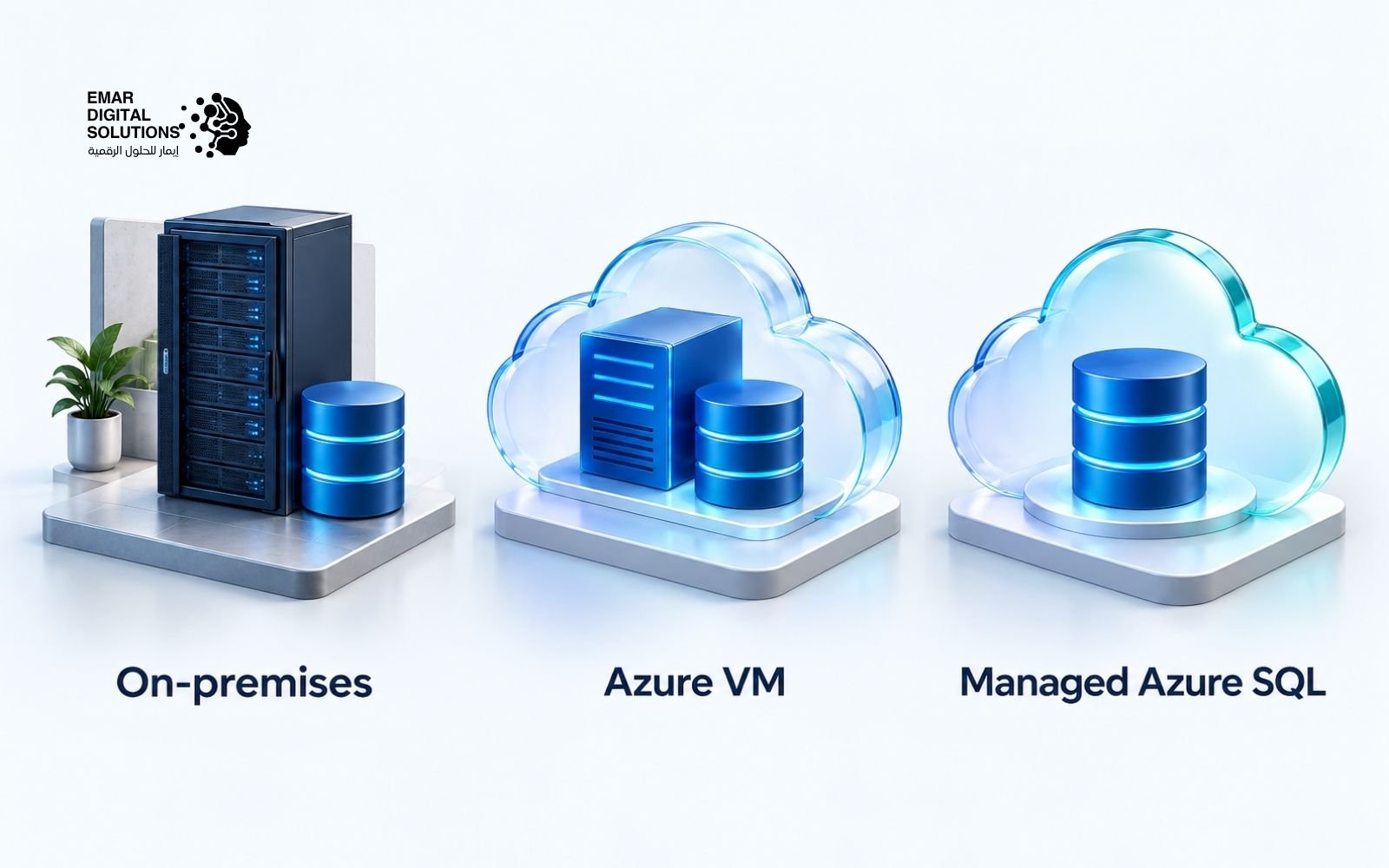
Azure SQL is a family of cloud database services and deployment options. It is not a SQL Server edition called Azure. The operational responsibilities differ between a virtual machine and a managed database service.
| Option | Management approach | Typical consideration |
|---|---|---|
| SQL Server on-premises | Your team or service provider manages the environment | Local control, infrastructure and recovery planning. |
| SQL Server on Azure VM | SQL Server runs inside a managed cloud VM | Server control with cloud compute and storage charges. |
| Azure SQL Managed Instance | Managed database instance service | Broad compatibility; verify application requirements. |
| Azure SQL Database | Managed database service | Application modernization and database-level deployment. |
Azure charges depend on the selected service and resources. Some virtual-machine offers include SQL licensing in the hourly charge. Eligible existing licenses can support Azure Hybrid Benefit. We review the actual offer rather than assuming an existing license covers all Azure costs.
For SQL Server in Oman, deployment location should follow business requirements. These can include application latency, operating costs and data handling policies. A migration assessment helps compare on-premises, cloud and hybrid options.
SQL Server Installation and Configuration
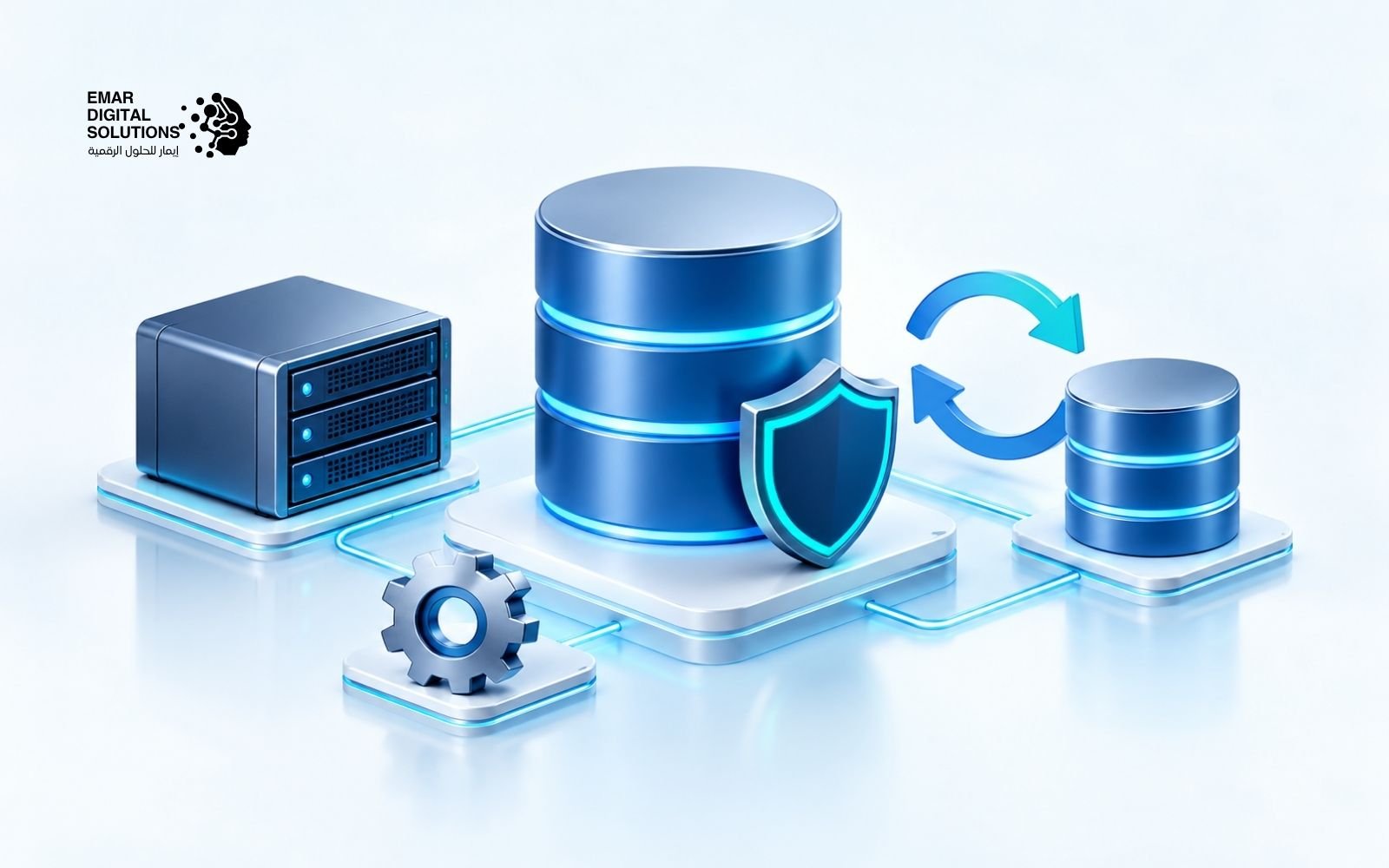
A successful installation starts with a clear scope. EMAR reviews the application needs and the selected SQL Server edition. We then agree the configuration, security controls and handover requirements. The application vendor requirements remain central to the plan.
- Check supported operating systems and application compatibility.
- Review CPU, memory, storage capacity and expected growth.
- Plan database files, transaction logs and tempdb.
- Configure service accounts, permissions and network access.
- Apply suitable updates and confirm connectivity.
- Set backup jobs and test a restore.
- Record the configuration and provide an agreed handover.
Default settings may need adjustment for the workload. For example, memory allocation should leave capacity for the operating system. Storage should support both capacity and input/output requirements. Configuration changes should follow measurement and documented application needs.
The final scope can include a physical server, virtual machine or supported cloud deployment. It can also include selected reporting or integration components. We confirm these components before preparing an implementation proposal.
SQL Server Migration and Upgrade Planning
Migration moves a workload to a new environment. An upgrade changes the SQL Server release or edition. Some projects require both. We assess databases and dependencies before choosing the approach.
- Record databases, sizes, growth and current versions.
- Review jobs, logins, linked servers and application connections.
- Check unsupported features and removed components.
- Test the target release with representative workloads.
- Define the cutover window and rollback conditions.
- Validate data, access and application behaviour after the move.
A side-by-side migration can keep the existing system available during preparation. It still needs a controlled cutover. Licensing for temporary environments must also be reviewed. We agree the migration plan with the people responsible for the application.
For older SQL Server in Oman deployments, support status should be part of the upgrade decision. A newer release may offer a longer support period. However, compatibility testing remains necessary. We do not assume that every application can move without changes.
SQL Server Security Backup and Business Support
Database protection combines configuration, access control and recovery planning. We select controls that match the edition and application. Encryption alone does not provide a complete security design.
- Use appropriate administrator and application permissions.
- Review service accounts and unnecessary network exposure.
- Assess encryption options and certificate management.
- Monitor failed jobs, storage growth and performance changes.
- Keep backup copies according to the agreed retention plan.
- Test restores against the required recovery time.
Recovery Point Objective, or RPO, describes the acceptable data-loss window. Recovery Time Objective, or RTO, describes the target recovery time. These requirements guide backup frequency and recovery design. They should be agreed before an incident occurs.
EMAR business support can include administration, troubleshooting and maintenance within an agreed scope. A support proposal should state service hours, response targets and responsibilities. Microsoft product support and EMAR service commitments are separate arrangements.
Which SQL Server Edition Should You Choose
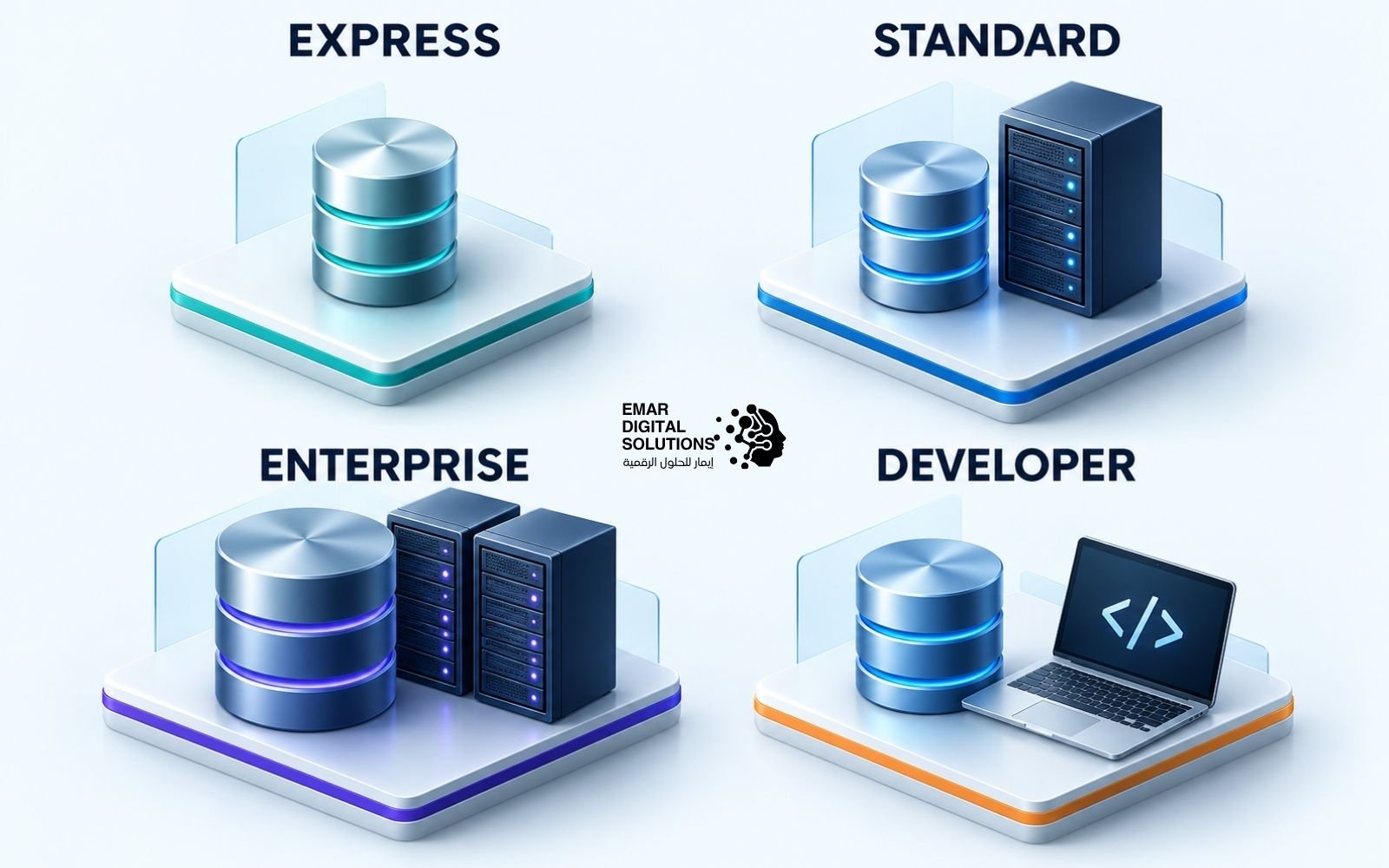
Start with the application purpose. Next, check features and resource limits. Then compare licensing and operating costs. This order helps identify the edition that fits the workload.
EXPRESS
Small production databases
50 GB
SQL Server 2025 limit per database. Free to use within its terms. Plan backups outside SQL Server Agent.
STANDARD
Business applications
32 cores
Up to 4 sockets or 32 cores, whichever is lower. Up to 256 GB of buffer pool memory per instance in 2025.
ENTERPRISE
Advanced production workloads
Advanced HA
Full availability groups and online index operations. Core licensing. Extra virtualization rights require qualifying coverage.
DEVELOPER
Development and testing
Free
Choose Standard Developer or Enterprise Developer in 2025. Production use is not permitted.
- Choose Express when a small production application fits its limits.
- Choose Standard when its business features and capacity are sufficient.
- Assess Enterprise when advanced availability or maintenance is required.
- Use Developer for development and testing, with no production workload.
An accounting application with known internal users may suit Standard Server + CAL. A public application with uncountable users may suit Per Core. A development team may use Standard Developer to test Standard compatibility. Each choice still needs a workload and licensing review.
Plan Your SQL Server Project with EMAR
EMAR Digital Solutions provides a local point of contact in Muscat. We help businesses compare SQL Server options and define the work required. The proposal can cover licensing assistance, installation, migration and ongoing administration.
We ask practical questions before recommending a purchase. What application will use the database? How many people need access? What happens if the system stops? How much growth is expected? These answers help establish a suitable technical and commercial scope.
- A clear list of products and license quantities.
- A defined installation or migration scope.
- Documented backup and handover requirements.
- Support terms aligned with the agreed business needs.
Businesses using SQL Server in Oman can also discuss related Microsoft requirements. These may include Microsoft 365 and cloud services. Each product has its own licensing rules. We prepare the relevant requirements separately.
SQL Server Licensing and Product Questions
Can SQL Server Express run a business application
Yes. Express can support production applications within its terms and technical limits. Check database size, resource needs and required features. Its lack of SQL Server Agent also affects maintenance planning.
Can Developer edition run a live ERP system
No. Developer editions are for development, testing and demonstration. A live ERP workload requires an appropriately licensed production edition. Express is another possibility only when the application fits its limits.
Do I need SQL Server CALs with Per Core licensing
No SQL Server CALs are required for users or devices under Per Core licensing. The deployment still needs the correct core quantity and use rights. Other products, such as Windows Server, can have separate requirements.
Does one SQL Server license cover every virtual machine
No. Virtual-machine rights depend on the edition, licensing method and qualifying coverage. Individual virtual-core licensing has a four-core minimum. Enterprise unlimited virtualization requires the qualifying physical-server licensing arrangement.
Is SQL Server Web available in 2025
No. Web was discontinued for SQL Server 2025. SQL Server 2022 Web may be available through eligible SPLA service providers. It is a hosting option rather than a general Standard license replacement.
What is the price of SQL Server in Oman
The price depends on the edition, license model, quantities and purchasing program. Deployment and support are separate services. Send your server and access requirements to EMAR for a scoped quotation.
Can I use Power BI Report Server with SQL Server 2025
Standard and Enterprise provide Power BI Report Server use rights subject to the applicable terms. Core allocation and publishing requirements still matter. A Power BI Pro user license is required to publish shared Power BI reports.
Should every existing system upgrade to SQL Server 2025
The decision depends on application compatibility, support status and required features. Test the target release first. Review removed components and reporting changes. A supported earlier release can remain appropriate when application requirements justify it.
Request a SQL Server Quote in Oman
Tell us about your application and the work you need. EMAR will review the requirements and prepare an agreed proposal. You can request licensing assistance, a new deployment, migration or business support.
- Company name and contact details.
- Current SQL Server version and edition, if available.
- Physical server or virtual-machine configuration.
- Number of users or devices and external access requirements.
- Database size, expected growth and required services.
License terms depend on the applicable agreement and current Microsoft Product Terms. Confirm the final rights and product availability before purchase. This guide supports product selection and does not replace those terms.